An 80B coding model on one rented A100, driven by Claude Code
Qwen3 Coder Next (80B, AWQ 4-bit) on vLLM, one A100 80 GB at $1.79/h, an API key for one developer and Claude Code pointed at it. Commands, numbers, limits.
An 80 billion parameter coding model. One rented NVIDIA A100 SXM with 80 GB. $1.79 an hour on the catalog the day we recorded. A developer typing into Claude Code, answered by a model we picked, on a GPU dedicated to our project.
That is the whole video (3:29). This post is the long version: the exact command, the env vars, the trap that will bite you on the first request, and what the demo does not prove.
Why bother owning the inference
A lot of my code now goes through a coding agent, and agents are chatty. A single session ships your repo, your prompts and your half-finished ideas to someone else's model API, token by token, billed by the token.
Owning the inference flips a few things:
- Privacy. The model runs on a GPU dedicated to your project, and no model provider sees your prompts or your code. Who is still in the path: requests go through the InferenceKey endpoint, and in this demo the GPU is a pod in a third-party secure cloud. Trust moves, it does not disappear. Attaching your own server as the worker takes the GPU landlord out of the picture.
- Cost shape. You pay per GPU hour, not per token. An agent that rereads the same files fifty times does not run up a per-token bill; it just keeps a GPU busy that you are already paying for. The flip side: the meter runs whether anyone types or not. $1.79/h left on 24/7 is about $1,300 a month. Per hour wins under sustained load, an agent hammering the endpoint all day; per token wins when the GPU would sit idle overnight.
- Control. You choose the model, the quantization, the context length, the tool parser. Nobody deprecates your model on a Tuesday.
I think open weights coding models are now good enough to drive a Claude Code session through a plan, a build and a round of edits, which is what the video shows. How far that goes on harder work is still open. The other question is the plumbing: getting a big model onto a GPU and exposing it safely to a developer without spending a day in SSH. That is what we tried.
The model
cyankiwi/Qwen3-Coder-Next-AWQ-4bit, a 4-bit AWQ quant of Qwen3 Coder Next. Per the model card: 80B total parameters, 3B active per token (Mixture of Experts, 512 experts, 10 active), 262,144 tokens of native context, Apache 2.0. Two different things make one card work. The 4-bit quantization makes it fit: 80B weights at about 4 bits is roughly 40 GB plus overhead, which leaves room on 80 GB for the KV cache. The MoE design makes it quick: all 80B weights stay in memory, but each token only computes through about 3B of them.
Step 1: a project
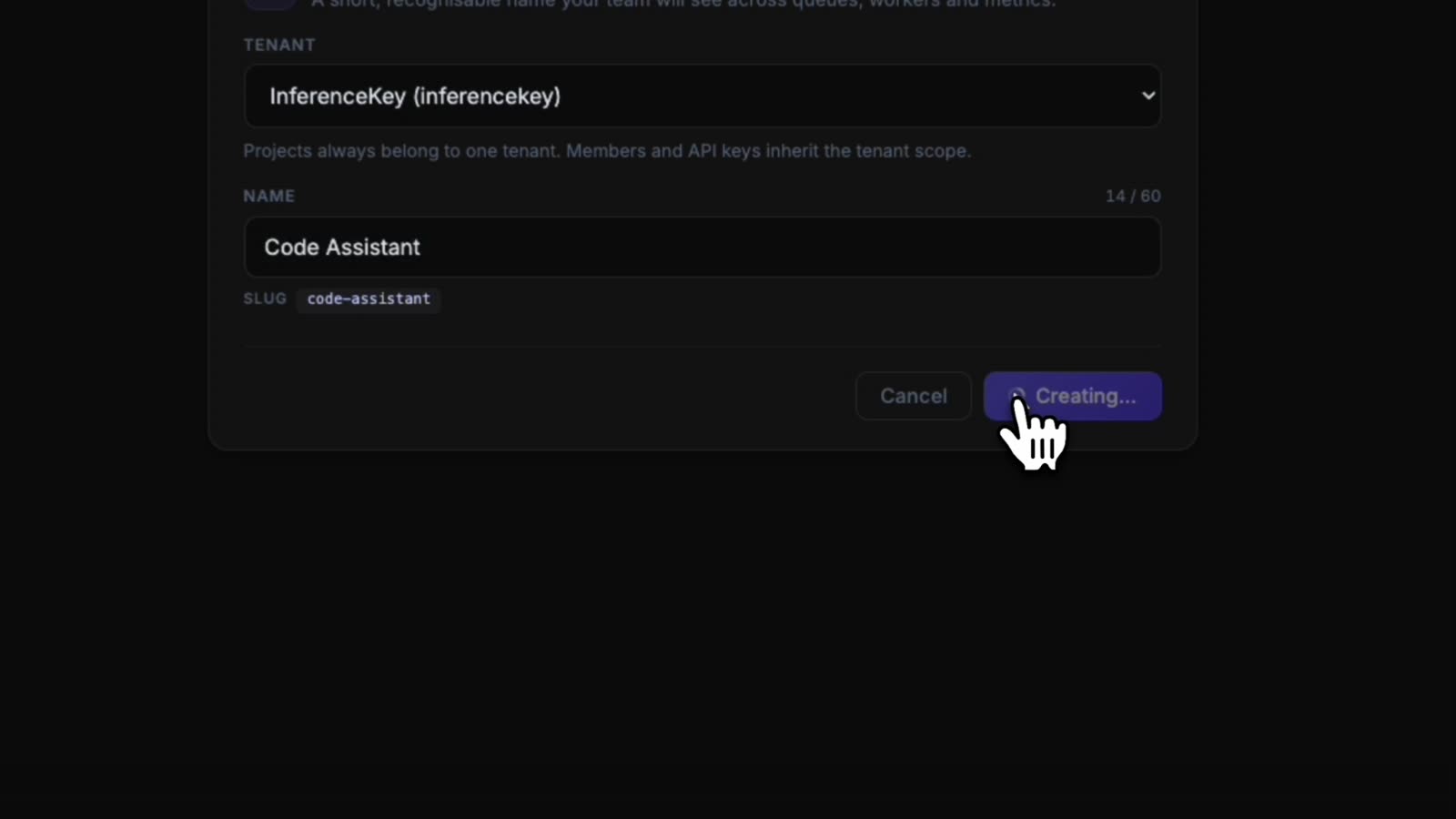
A project is a folder for workloads, keys and costs. Ours is called Code Assistant, slug code-assistant. Remember the slug, it ends up in the URL.
Step 2: a workload with the exact vLLM command
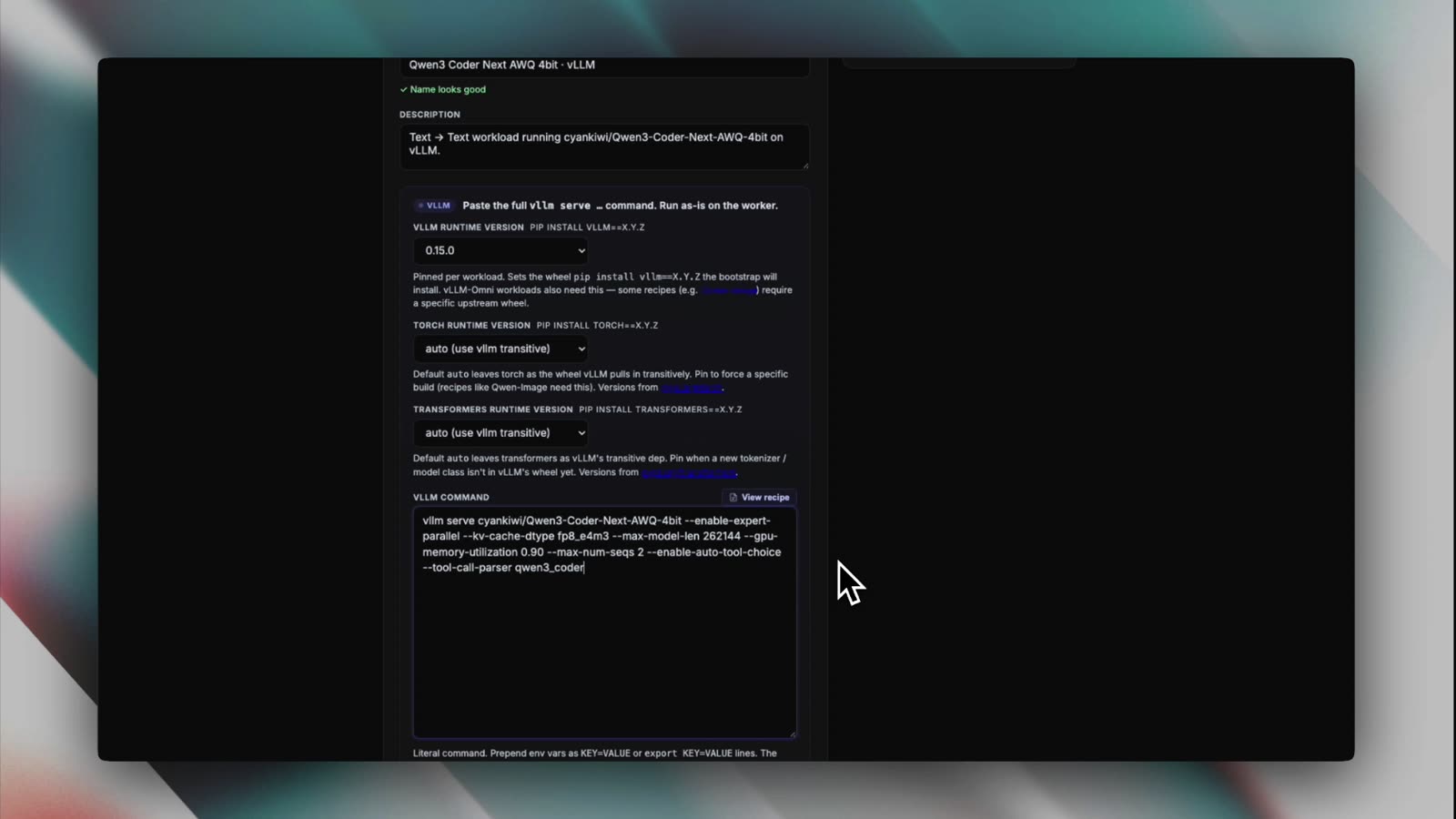
Create a workload, pick a backend. The dropdown offers vLLM, vLLM-Omni, SGLang, Ollama, llama.cpp (GGUF), stable-diffusion.cpp and an API Gateway for external providers. We picked vLLM, pinned the runtime to 0.15.0 and left torch and transformers on "auto (use vllm transitive)".
The command field is literal: the worker runs it as is. This is what we pasted:
vllm serve cyankiwi/Qwen3-Coder-Next-AWQ-4bit \
  --enable-expert-parallel \
  --kv-cache-dtype fp8_e4m3 \
  --max-model-len 262144 \
  --gpu-memory-utilization 0.90 \
  --max-num-seqs 2 \
  --enable-auto-tool-choice \
  --tool-call-parser qwen3_coder
What the flags are doing:
--max-model-len 262144: the model's full native context, 256K tokens. Coding agents read a lot of files.--kv-cache-dtype fp8_e4m3: stores the KV cache in FP8 so that context fits next to the weights.--gpu-memory-utilization 0.90: vLLM may take 90% of the 80 GB.--max-num-seqs 2: at most two sequences in flight. This is a one-developer setup and the number says so.--enable-auto-tool-choice --tool-call-parser qwen3_coder: tool calls. Claude Code sends tool definitions with its requests; without these two flags vLLM answers requests that carry tools with a 400. The model card's own recommended command uses the same pair.--enable-expert-parallel: it was in the command we used. Its effect on a single GPU was not tested.
The help text under the field is worth knowing: you can prepend env vars as KEY=VALUE lines, the worker forces --port 8000 for its health checks, and any --chat-template path must live under /opt/inferencekey/vllm/examples/.
Step 3: no hardware yet, so rent an A100
At this point the workload exists and nothing runs it: no worker assigned, status "No capacity". You can attach your own server here. For the demo we opened "Add worker to workload", tab "Deploy new cloud GPU": 1 GPU per node, CUDA driver 13.0, GPU model A100 SXM · 80GB · $1.79/h, Secure cloud.
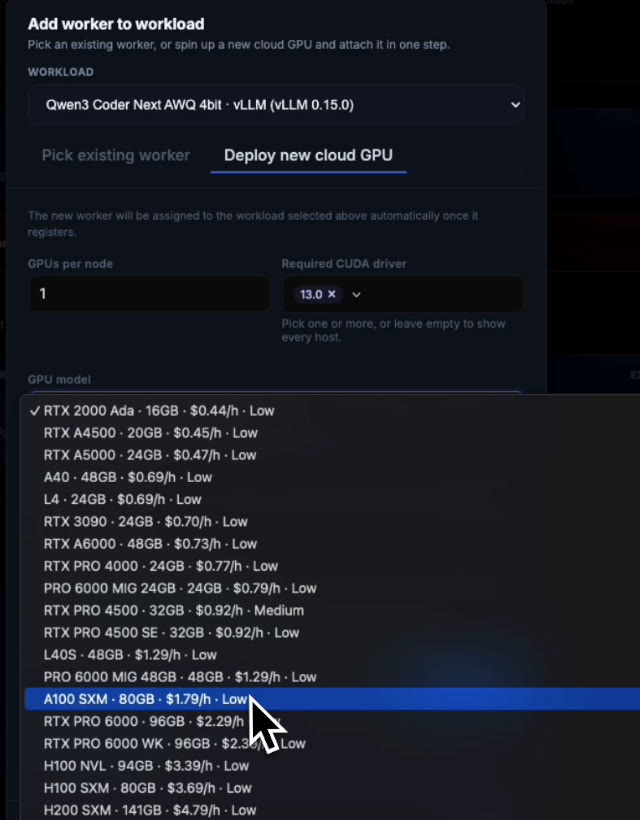
For context, the same dropdown that day listed an L40S 48 GB at $1.29/h, an H100 SXM 80 GB at $3.69/h and an H200 SXM 141 GB at $4.79/h.
A note on the price, because the video gets it wrong. The narration says you can rent this class of GPU for "just over one euro per hour". Every screen in the recording says $1.79/h for the A100 SXM 80 GB in secure cloud: the catalog, the worker card ("COST 1.79 USD/h") and the project header ("EST. COST $1.79/hr"). Trust the screens. That is the catalog price on 18 September 2026, the recording day, and cloud GPU prices move, so check the dropdown before you plan a budget around it. The panel has since switched to quoting prices in euros, so expect a different number and currency there.
Step 4: the deploy, minus the parts I usually hate
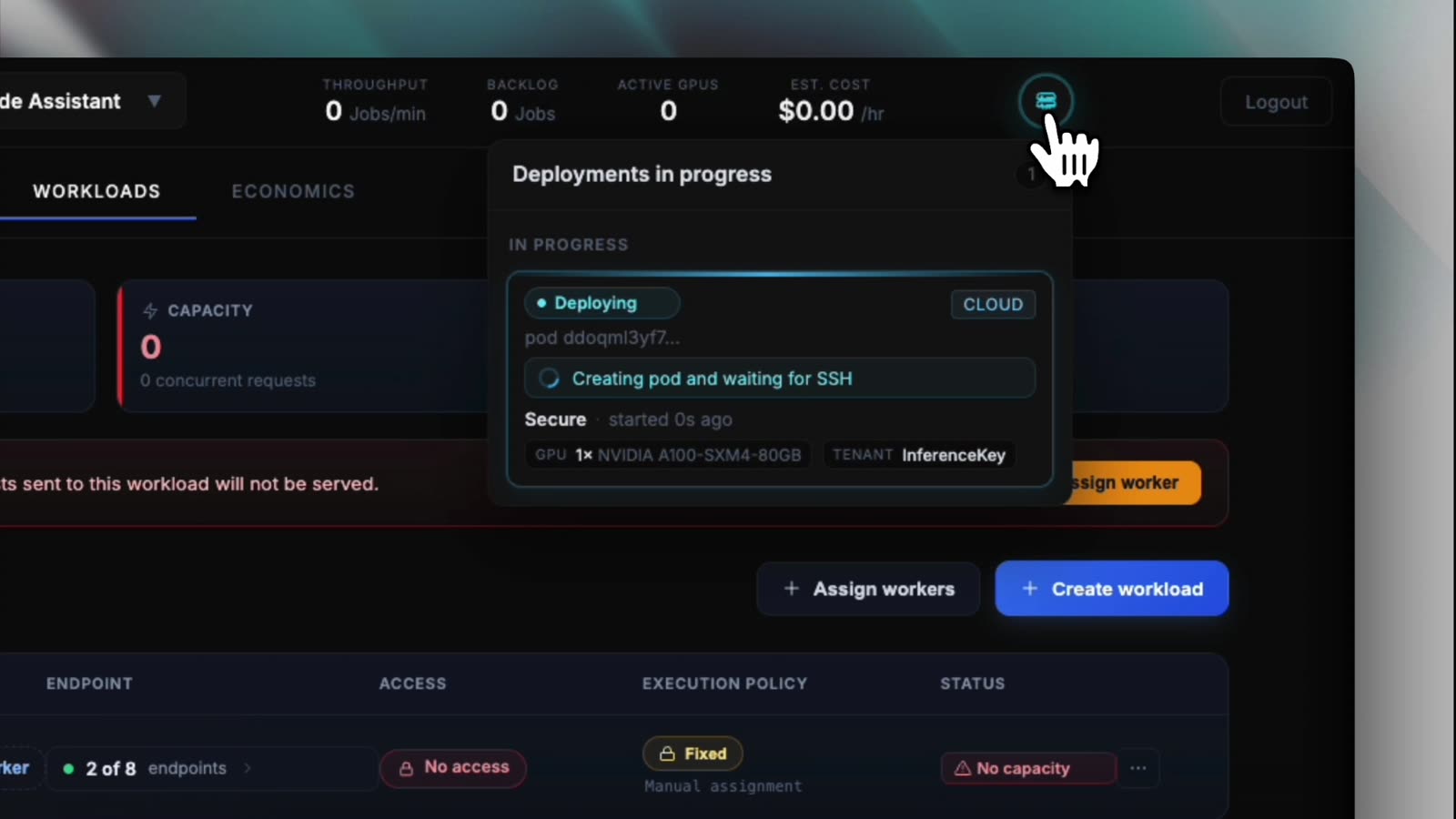
Click deploy and a "Deployments in progress" popup tracks it: secure cloud, 1x NVIDIA A100-SXM4-80GB, "Creating pod and waiting for SSH". About that "no SSH" line in the narration: the platform does use SSH to bootstrap the pod. You just never open a session, never install CUDA packages, never configure the environment.
What you do get is the worker's logs streamed into the panel, live: pip pulling the CUDA and NVIDIA wheels, then vLLM's EngineCore loading the safetensors shards: the soundcheck, every piece coming up before anyone plays a note.
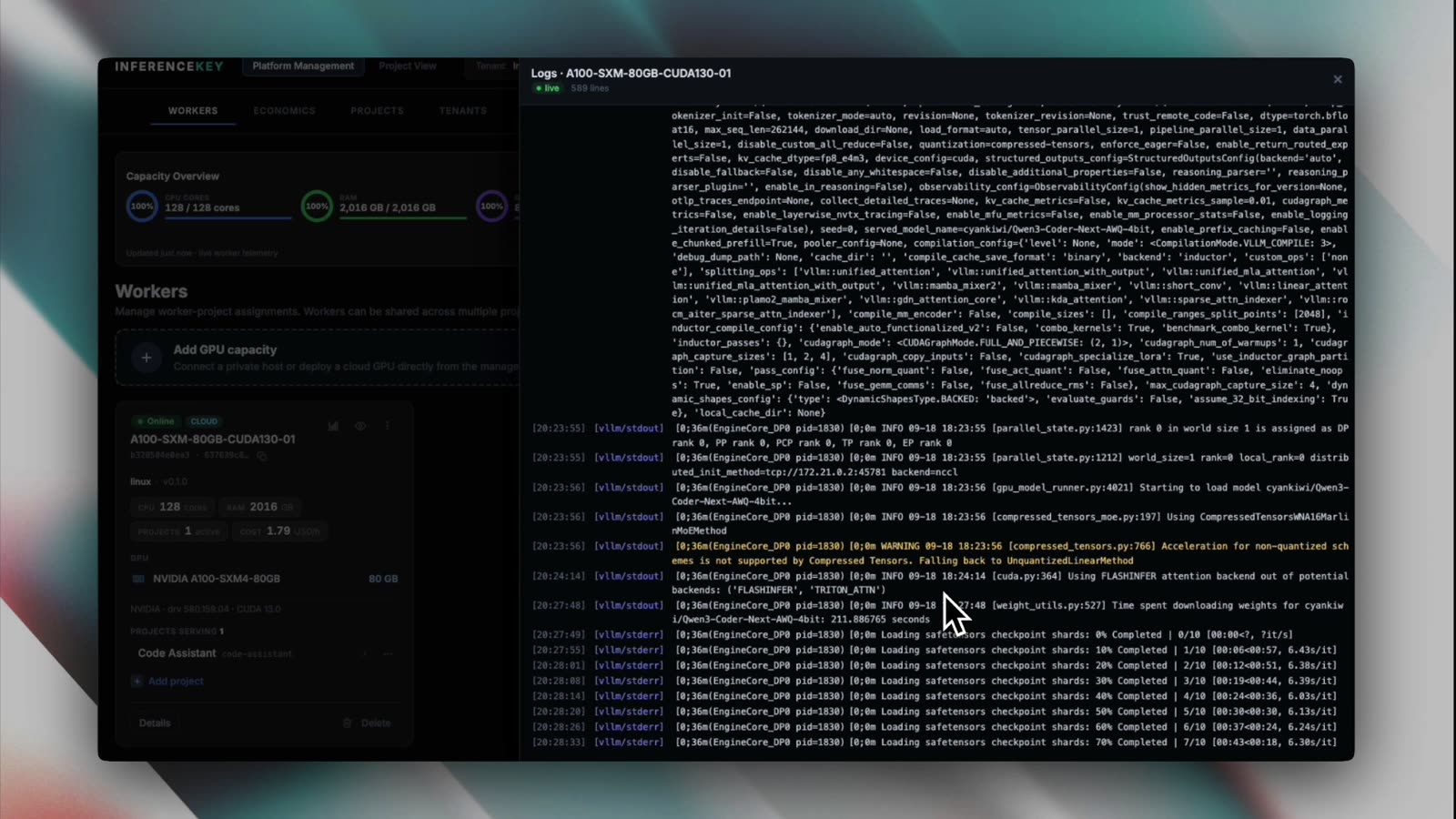
The video is edited, so I will not quote a deploy time. The rented box ended up as: A100-SXM4-80GB, driver 580.159.04, CUDA 13.0, 128 CPU cores, 2016 GB of RAM, with a driver health check confirming "vLLM 0.15.0 compatible with CUDA 13.0".
Step 5: a first request
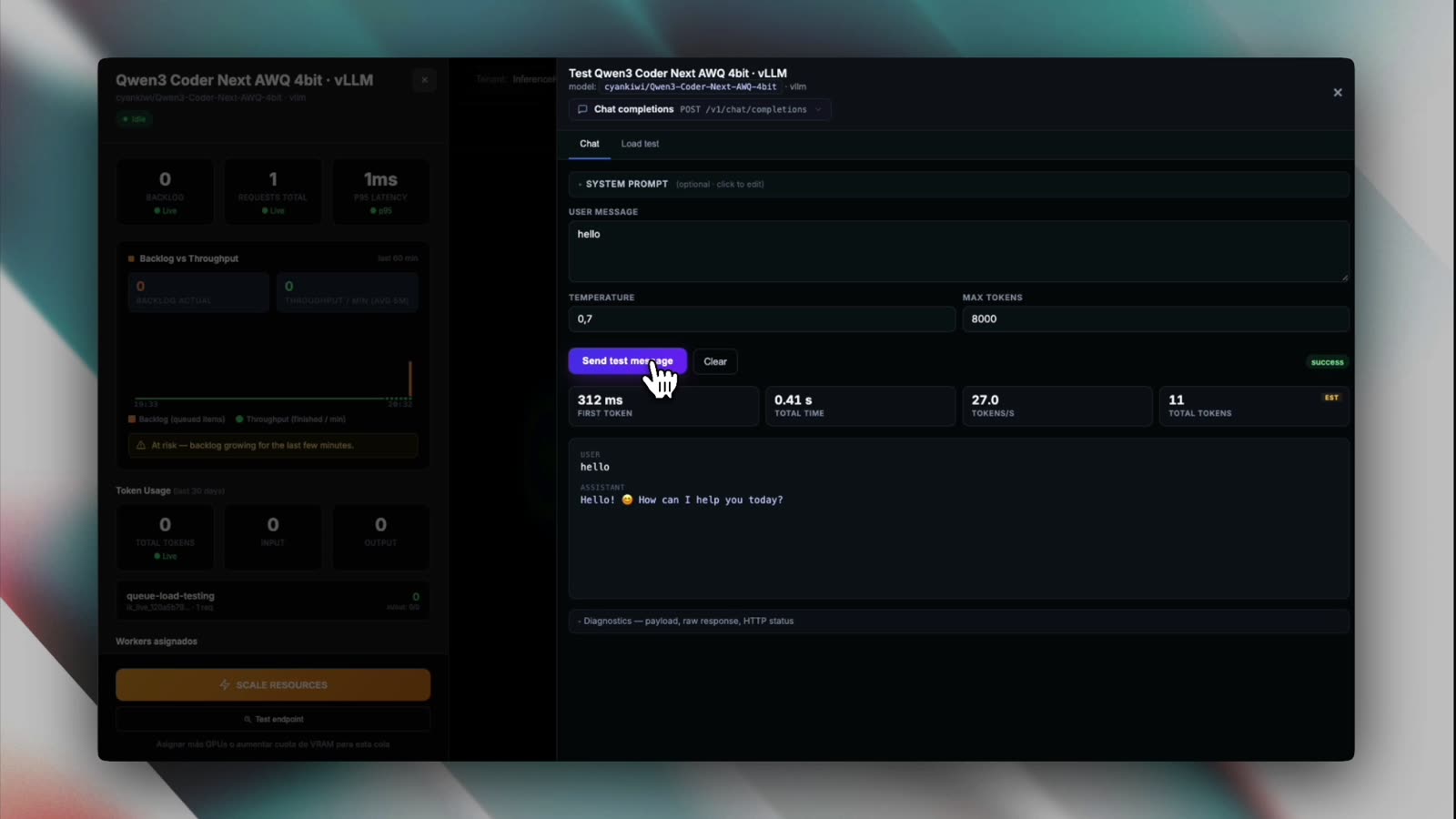
The workload has a built-in test panel. We sent hello (temperature 0.7, max tokens 8000) to /v1/chat/completions and got back a one-line greeting asking how it could help, with:
| Metric | Value |
|---|---|
| First token | 312 ms |
| Total time | 0.41 s |
| Total tokens | 11 (marked EST) |
That is a smoke test, not a benchmark. Eleven tokens of greeting tell you the model is loaded and the path works; they tell you nothing serious about decode throughput. The panel also printed 27.0 tokens/s, but that divides 11 tokens by a total time that is mostly the 312 ms wait for the first token, so we leave it out.
For a sustained figure, our own worker RTX-A6000-48GB-CUDA130-01 (one RTX A6000, 48 GB, CUDA 13.0) serving Claude Code development tasks with a 1M-token context generates about 40 tokens/s.
Step 6: an API key for one developer
The developer, Chad Coder, gets a key of their own. Access scope "Specific endpoints" (the alternative is "Entire project"), and only one endpoint ticked: code-assistant/qwen3-coder-next-awq-4bit-vllm. The key is shown once.
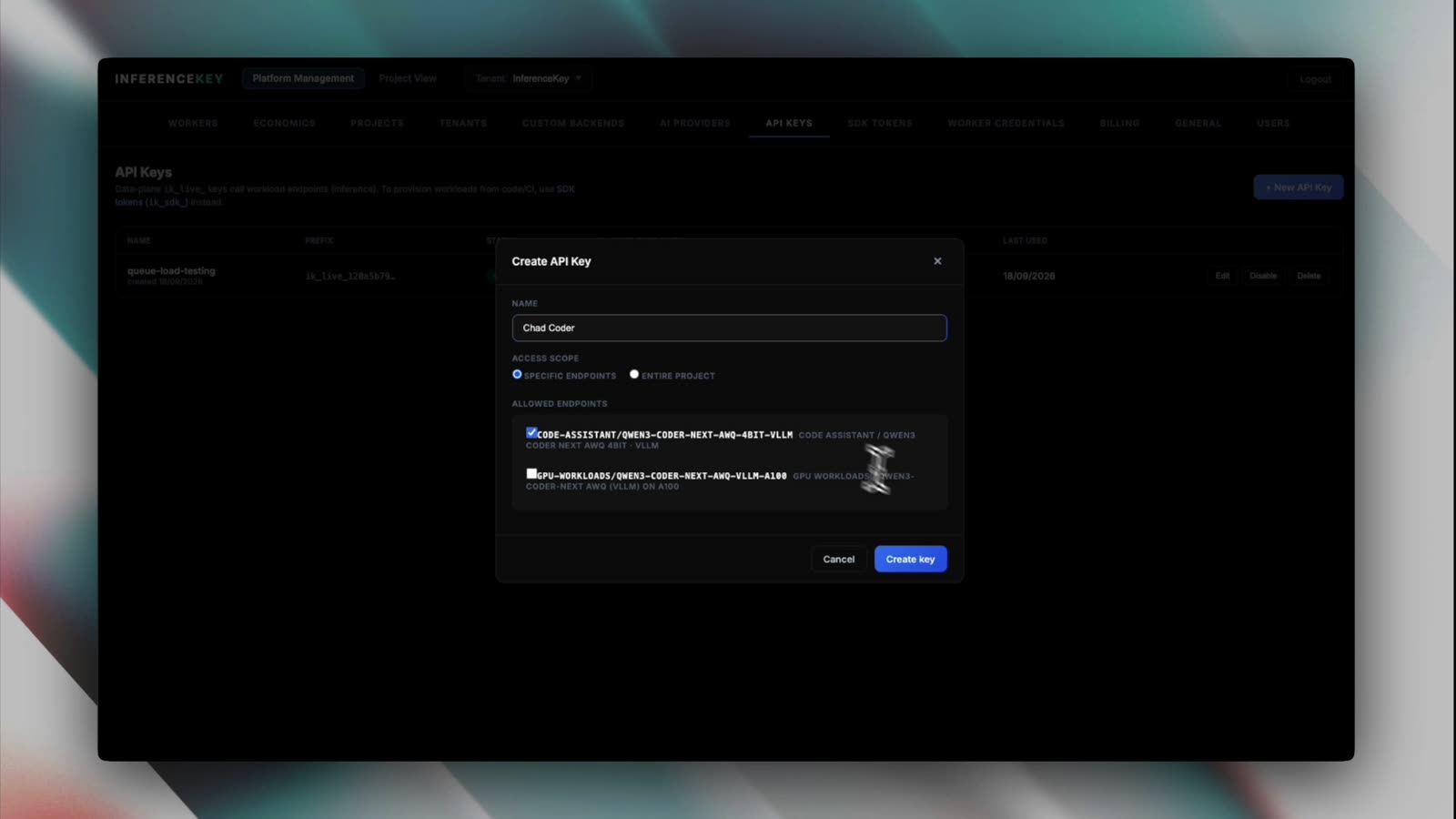
What I checked in the manager code: a key only passes if its allowed endpoints contain <project>/<workload> or <project>/*, otherwise the request is rejected as endpoint_forbidden, and the data plane only accepts keys that start with ik_live_. Usage is tracked per key; you will see Chad's tokens in the live view below. The narration says quotas; what I actually verified in code is endpoint scoping and per-key usage.
Step 7: point Claude Code at it
The manager exposes an Anthropic-style Messages route per workload, POST /endpoint/<project>/<workload>/v1/messages, next to the OpenAI-style /v1/chat/completions. Claude Code appends /v1/messages itself, so the base URL stops at the workload:
export ANTHROPIC_BASE_URL=https://api.inferencekey.com/endpoint/code-assistant/qwen3-coder-next-awq-4bit-vllm
export ANTHROPIC_AUTH_TOKEN=ik_live_...
export ANTHROPIC_MODEL=qwen3-coder-next-awq-4bit-vllm
export ANTHROPIC_DEFAULT_HAIKU_MODEL=qwen3-coder-next-awq-4bit-vllm
export ANTHROPIC_DEFAULT_SONNET_MODEL=qwen3-coder-next-awq-4bit-vllm
export ANTHROPIC_DEFAULT_OPUS_MODEL=qwen3-coder-next-awq-4bit-vllm
claude
api.inferencekey.com is the default public host; copy the base URL your panel shows. ANTHROPIC_AUTH_TOKEN goes out as Authorization: Bearer, which the manager prefers; ANTHROPIC_API_KEY (sent as x-api-key) also works, but it overrides a subscription login and interactive Claude Code asks you once to approve the custom key (the docs describe that prompt only for ANTHROPIC_API_KEY). If both headers arrive with different values the manager rejects the request with a 401 authentication_error.
Now the trap. The endpoint is bound to one workload, and the manager checks the model name. It accepts no model, default, the workload slug or the workload's model name; anything else gets an HTTP 400 with error type invalid_request_error and the message "Model '…' is not available on this endpoint" (internally the code is model_not_available). Claude Code sends claude-* model names by default, and it also uses a small model for background work. So set ANTHROPIC_MODEL and ANTHROPIC_DEFAULT_HAIKU_MODEL to the workload slug, or your first prompt bounces. Anything that picks the sonnet or opus alias (the /model picker, opusplan) would still send claude-* names, which is why the block above points ANTHROPIC_DEFAULT_SONNET_MODEL and ANTHROPIC_DEFAULT_OPUS_MODEL at the slug too.
Step 8: watch it work
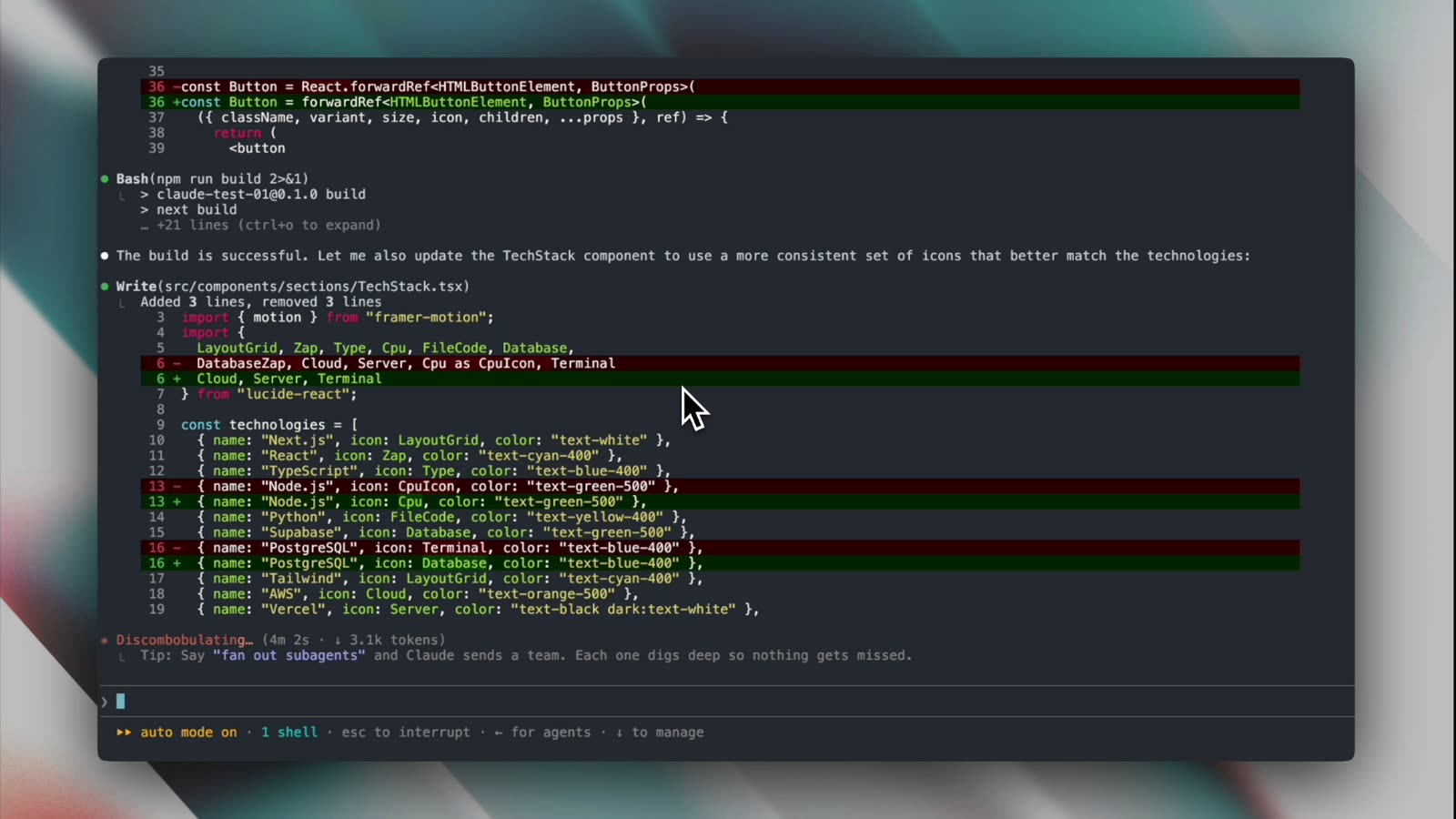
Chad asked for a landing page for "Chad Coder": a list of React components (Navbar, Hero, Services, Projects, Testimonial, TechStack, CTA and more) and the brief that it "should feel like a $20k-$50k custom agency website, not a generic Tailwind template". Claude Code went into plan mode, wrote src/components/ui/Button.tsx, installed class-variance-authority, clsx and tailwind-merge, ran npm run build and kept editing components.
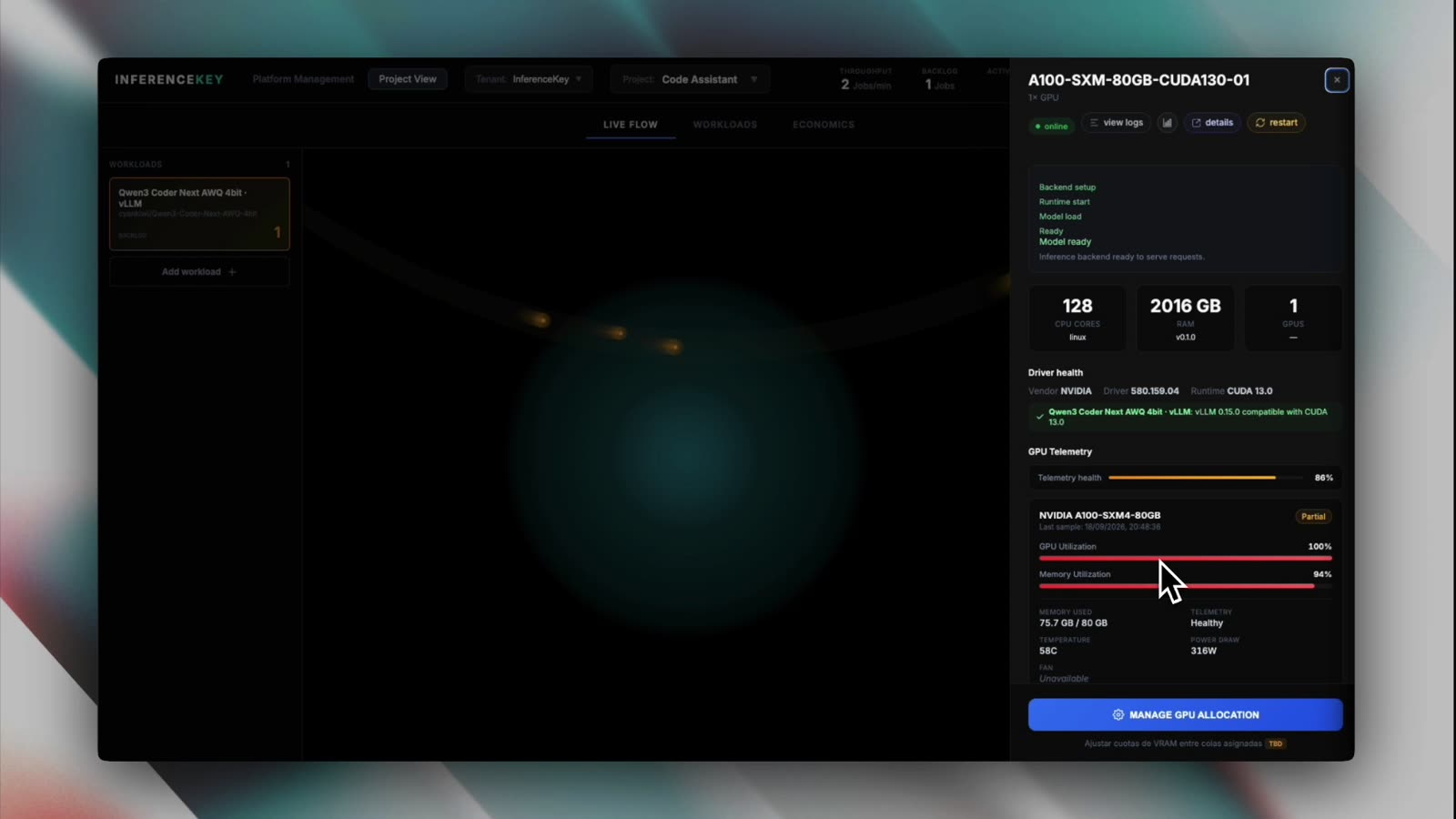
Meanwhile the project's Live Flow shows requests travelling to the GPU, with the header at 2 jobs/min, 1 in backlog, 1 active GPU, $1.79/hr. At that point in the session, partway through the build, the workload drawer counted 5 requests and 31.7K tokens, and the per-key breakdown put 4 requests and all 31.7K tokens on Chad's key. That is a snapshot, not the full cost of the landing page. The worker drawer is where the GPU tells the truth: 100% utilization, 75.7 GB of 80 GB used, 58 C, 316 W.
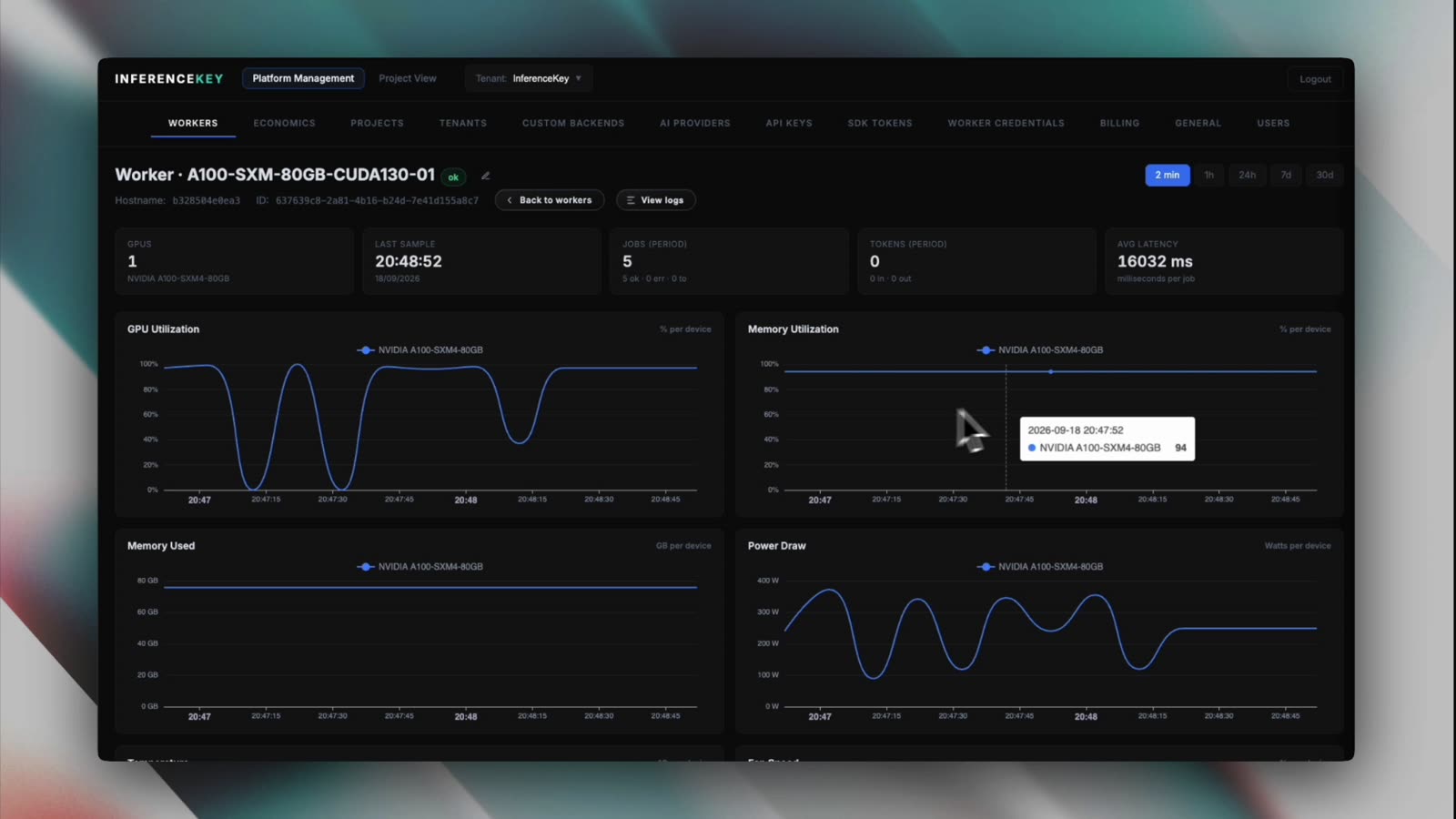
The worker page keeps the charts for the last two minutes: memory used flat around 76 GB, power peaking near 380 W, 5 jobs ok, 0 errors and 16032 ms average latency per job in that window. Those jobs are Claude Code agent steps, so read the average as a rough feel, not a latency benchmark.
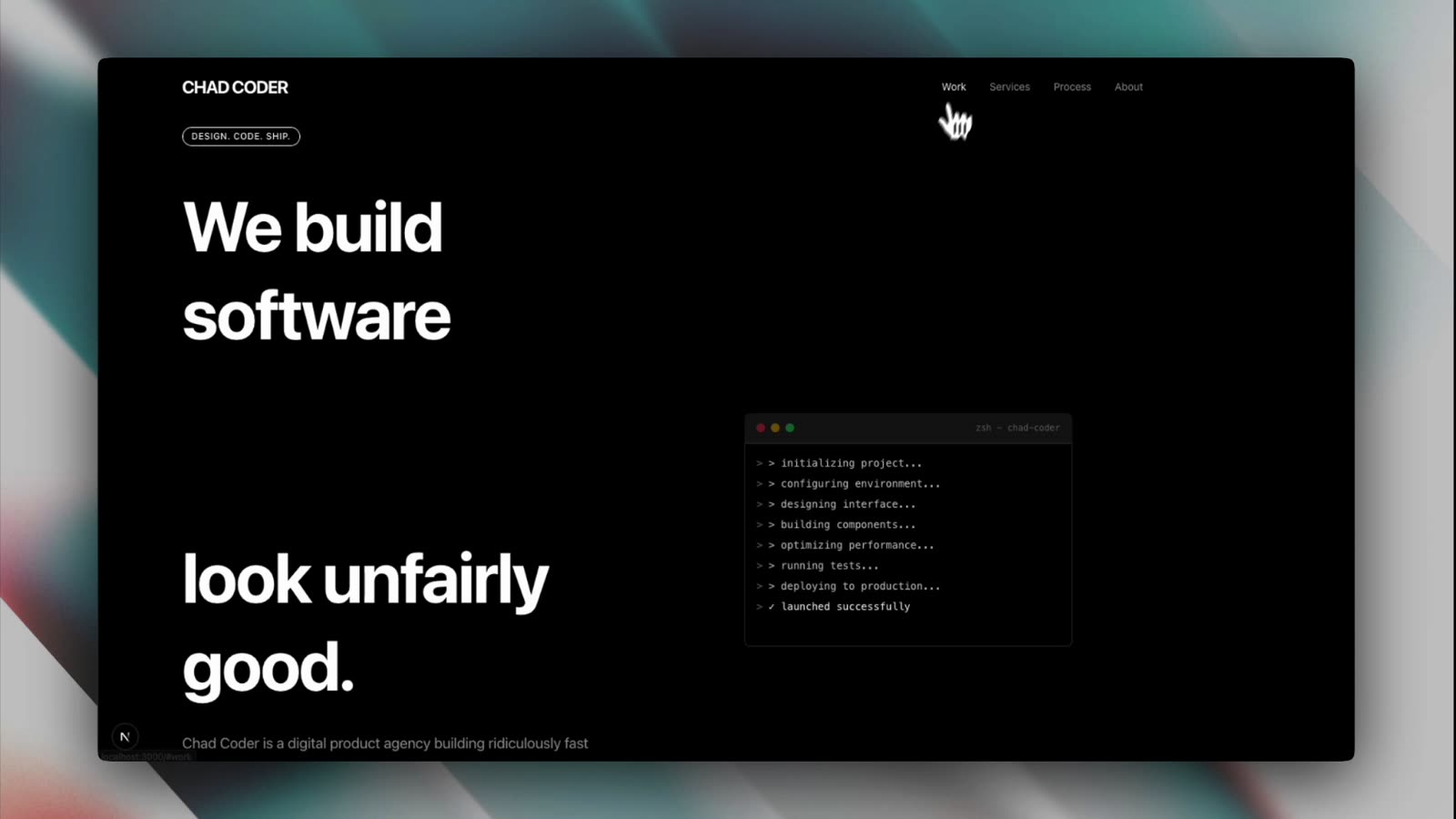
And the result: a dark landing page with a "CHAD CODER" header and the headline "We build software look unfairly good." Yes, the hero has a blank where a word should be, most likely a word slot that did not render. The projects section has placeholder cards. It is a first pass from an agent, not a shipped site.
What this proves, and what it does not
Limits first:
- Scale. One GPU, one developer,
--max-num-seqs 2. - Quality. A 4-bit quantized model, so expect some quality loss against the full-precision weights. We did not measure how much.
- The task. A landing page is not a hard coding benchmark: no large legacy repo, no gnarly refactor, no eval suite.
- The numbers. The A100 run only has an 11-token greeting, so its speed is not measured here; the 40 tokens/s figure comes from a different card (RTX A6000) and configuration. The 256K context is configured, not exercised: the usage snapshot taken partway through the session showed 31.7K input tokens.
- Cost. We did not compare this session against per-token pricing. With one developer and two sequences in flight, this is not the setup where paying per hour pays off; that needs several developers or agents sharing the GPU.
- The agent. This is Claude Code driving Qwen, not Claude. Claude Code is built around Claude models. With a non-first-party base URL its MCP tool search is off by default, and agent behavior depends on how well the model follows Claude Code's tool protocol. We did not compare it against hosted Claude on the same task.
- Privacy. Requests still cross the InferenceKey endpoint and a rented cloud host.
- Multi-GPU. The narration says you can add GPUs and spread requests across them. That is not shown in this video and I did not test it here.
What it does show: an 80B MoE coding model configured for its full 256K context, serving a real Claude Code session, tool calls included, on a single A100 at $1.79/h. No SSH session, no hand-built environment, a key scoped to one endpoint, per-key token accounting, and GPU telemetry you can read while the agent works. It is the boring kind of setup, which is the compliment.
Next on the setlist: more GPUs behind the same endpoint, and a heavier coding workload than a landing page.
The step-by-step guide lives in the docs: Deploy your own code assistant.