PAN 2 on one GPU: a 29B world model, 3 seconds of video in 109 seconds
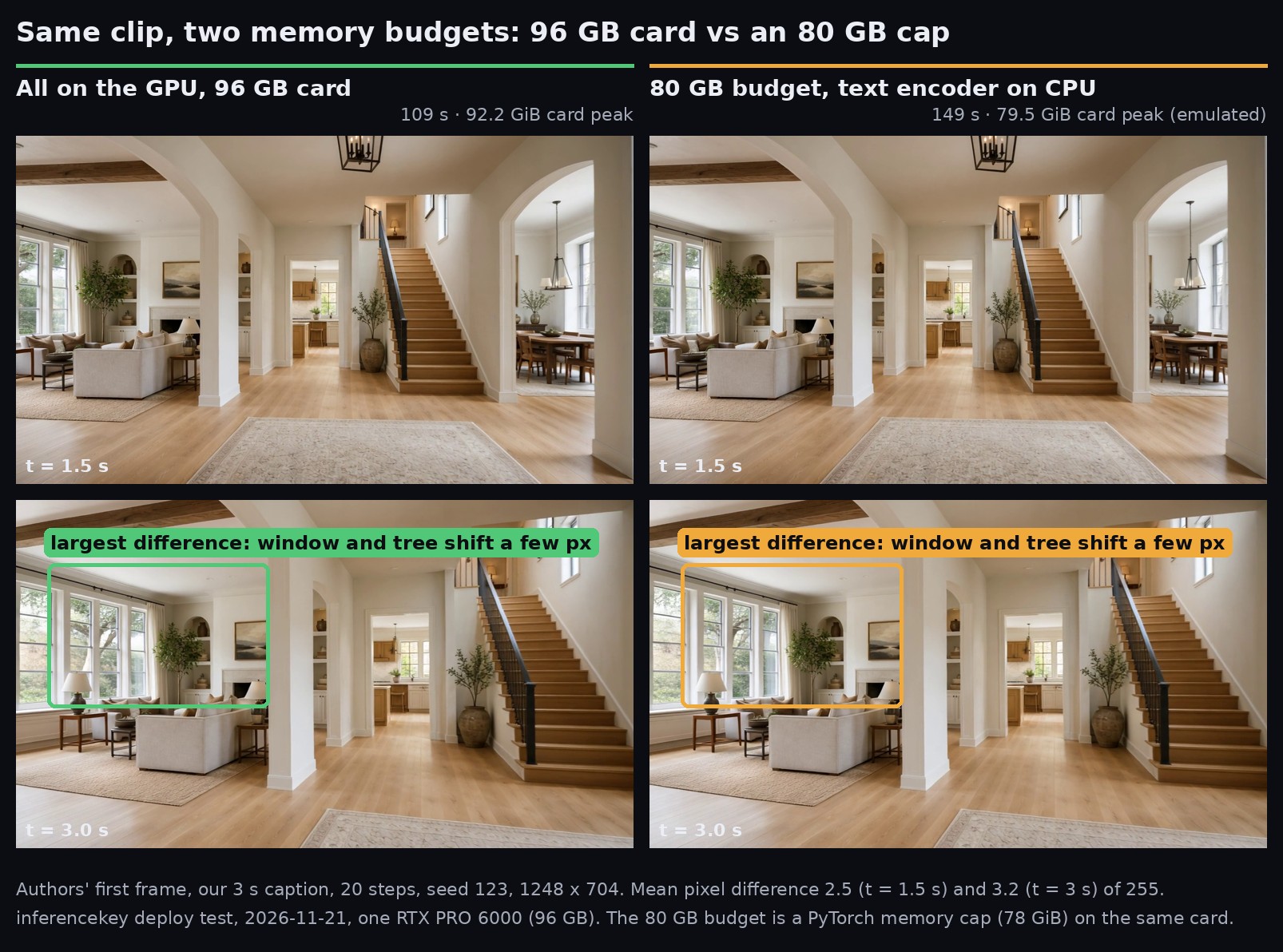
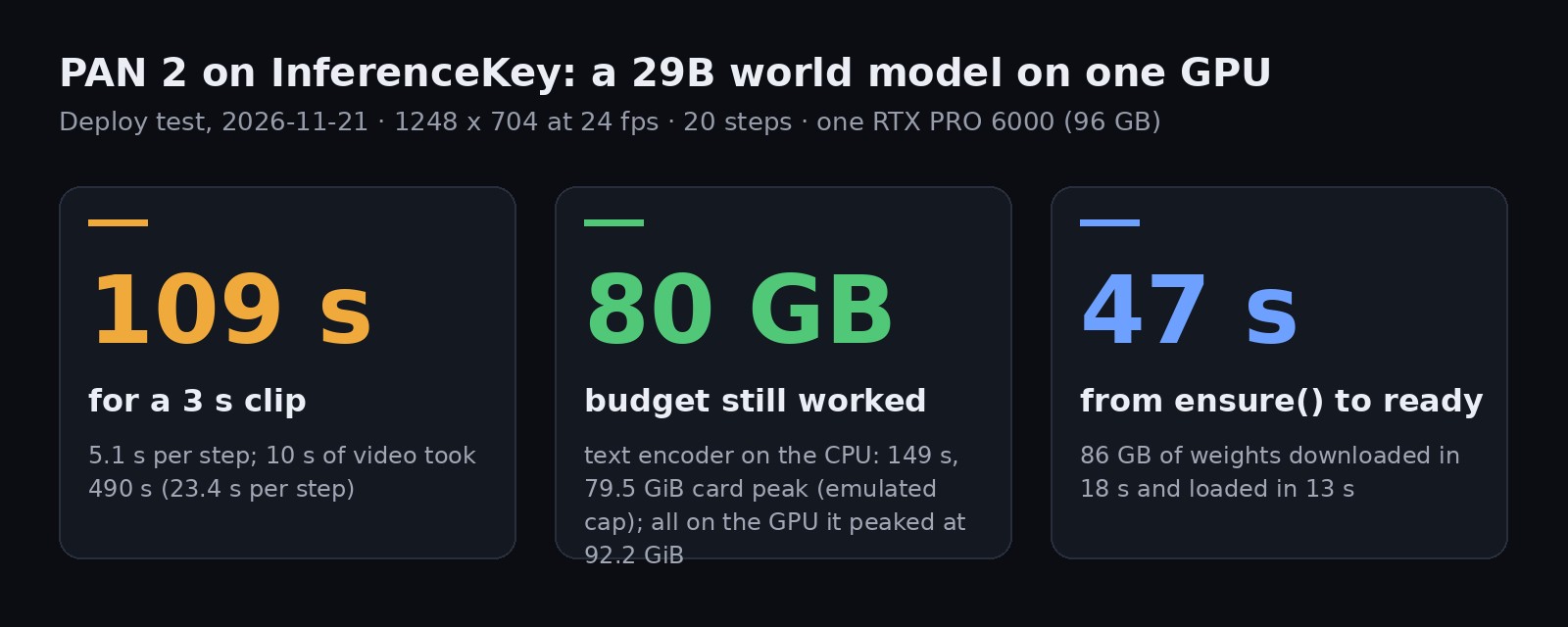
PAN 2 rendered a planned 3 s clip in 109 s on one 96 GB card. Under an 80 GB cap it still worked with its text reader on the CPU, 40 s slower.
One language model writes the plan. A 29-billion-parameter model films it. That split is PAN 2, an open model that shows as video what an action would do in a scene. The plan is a timed list of actions and camera moves, and the video runs up to 20 seconds. We ran PAN 2 through its Hugging Face Diffusers pipeline on one 96 GB RTX PRO 6000 on our cloud. Can an agent use it to preview a plan? For a 3-second walk through a house it took 109 seconds and followed the plan.
On a simulated 80 GB card it still worked, 40 seconds slower, once a helper model that reads the plan moved to the CPU. The split decides what you host: the planner can be any language model you already call, and only the renderer needs the big card. Our planner was a hosted API, Claude Opus 5.5. We have not run a self-hosted planner. We tested whether a plan renders and how fast, not whether an agent picks better plans, how physically accurate the result is, or any benchmark.
| What we measured | Result |
|---|---|
| 3 s clip, one 96 GB card | 109 s |
| Peak memory on that card | about 96% of it, almost full |
| Same clip under an 80 GB memory cap, plan-reading part on the CPU | 149 s |
| From first call on a running GPU machine to model ready | 47 s |
PAN 2 splits the job: one AI writes the plan, another films it
PAN 2 is not another text-to-video model, and the difference is in who writes the script. You do not type "a hand knocks a glass over" and hope. A language model first rewrites your request as a structured description of the next state of the world. It says what is in the scene, what each thing does, at which second, and where the camera goes.
Then the video model renders the description. Think of a songwriter and a session band. The songwriter hands over a chart with every change marked by the bar, and the band plays it. When a take is wrong, you look at the chart first.
PAN 2 comes from the Institute of Foundation Models. Code and weights are open, commercial use included, and anyone can download them. The model card cites a paper by Eric Xing, Mingkai Deng and Jinyu Hou, "Critique of World Model".
Two parts make up what you download:
- The renderer: a 29.2-billion-parameter video model the authors trained from scratch on hundreds of millions of videos. It works on a compressed picture that a small decoder turns into pixels.
- The reader: Qwen3.5-9B from the Qwen team, used as is. It does not write the plan, it turns the plan into numbers the renderer can use.
The planner itself is not in the download (docs). The authors list the language models they tested for that role: Claude Opus 5.5, GPT-6 Astra, Kimi K3 and Qwen 3.8 Flash. They say any model that follows instructions well can do it, and they ship written instructions for it. For our test, Claude Opus 5.5 wrote the plans with the authors' instructions.
This split matters if you build agents. A robot or a software agent with three candidate plans can render each one, look at the outcome and pick one. That is the pitch on the model card. The authors are also frank about how far it goes today. In their words, "about two in three simulated plans contain at least one step that is not carried out". Treat it as a first draft of the outcome, not a referee.
Our test: one 96 GB card, clips of 2 to 10 seconds
One clip at a time, one try per case, so read the quality notes as behaviour we saw, not a score. The download is 86.1 GB in all.
We made three clips:
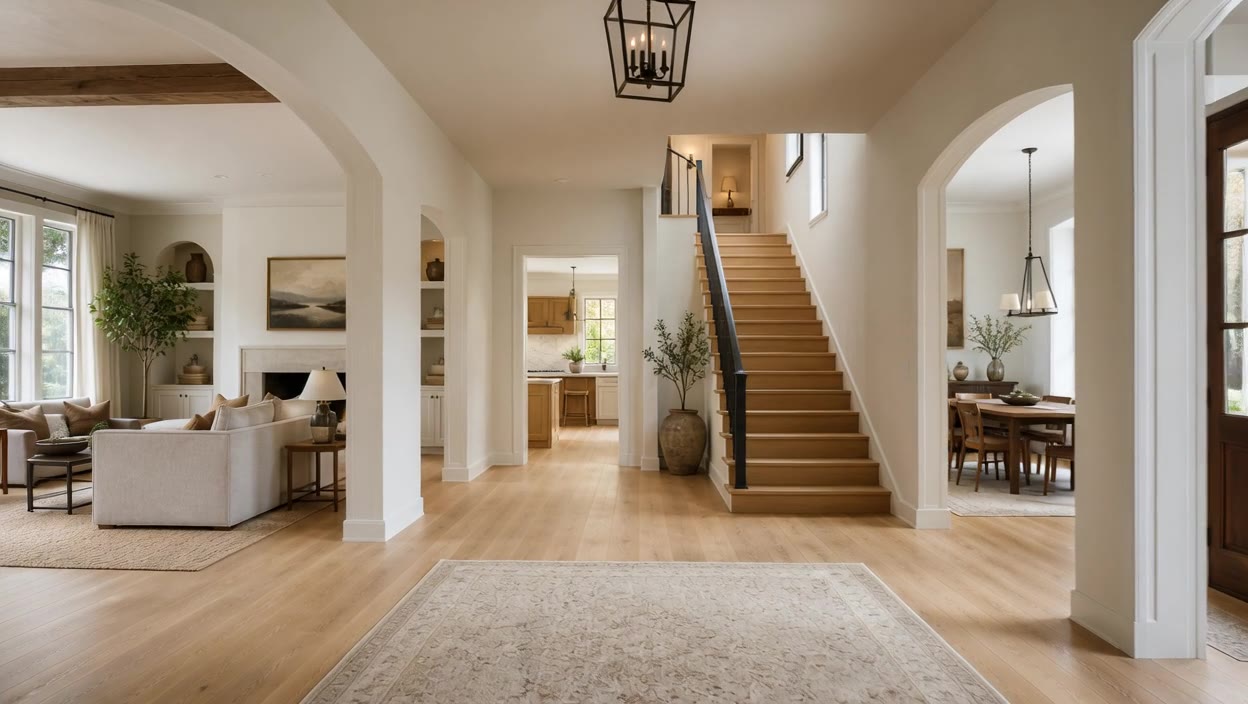
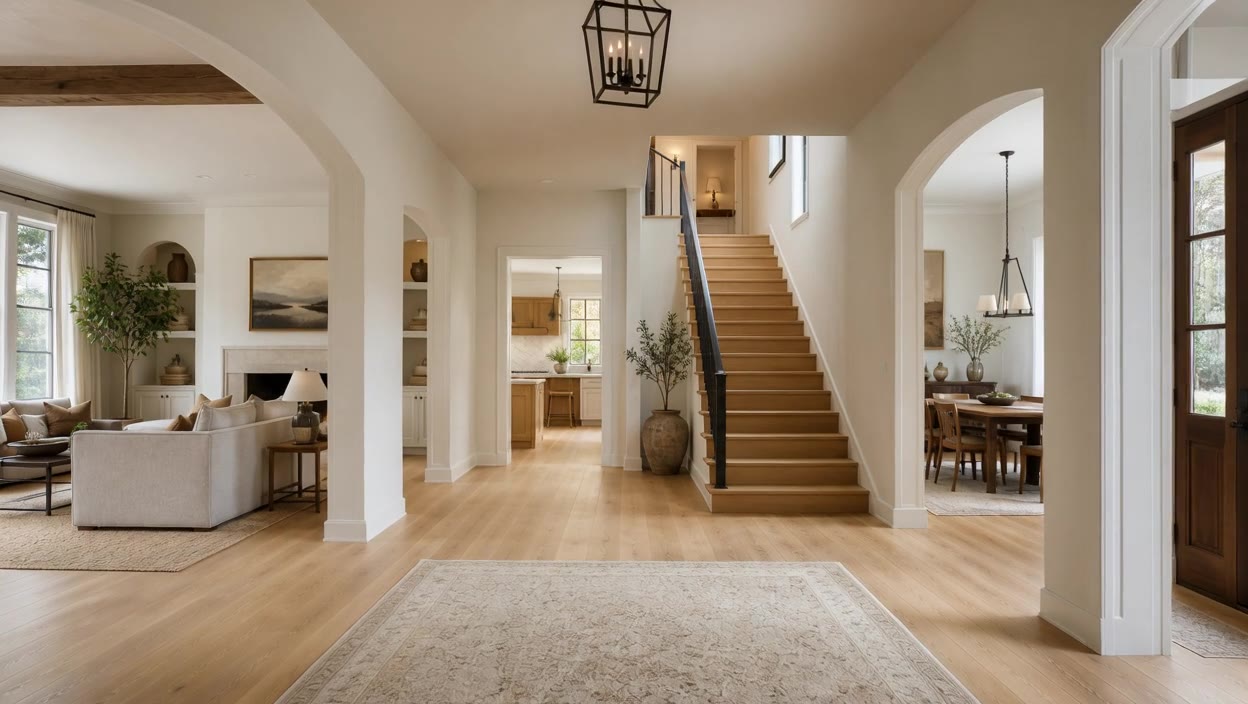
- House, 3 seconds: image to video. The first frame is the authors' own picture of a hallway. Our plan says walk in, then turn left into the living room.
- Glass, 2 seconds: text to video. A hand flicks a glass of water over on a kitchen counter.
- House, 10 seconds: the same start, at the length the model card uses as its default.
One limit to say up front: we ran 20 steps, not the authors' default of 50. A video model like this starts from noise and cleans the picture a little at each step. Fewer steps means faster clips and possibly softer ones. Every number below is at 20 steps.
Three seconds of video take about 110 seconds of work
The 3-second house clip took 109.3 seconds on the card, and the full trip through our API took 113. So PAN 2 is not a live simulator. An agent comparing three 3-second plans would wait about five and a half minutes on one card, plus the planner's time. For offline planning research, robot data or story previews, that pace works. For anything that reacts to a user in real time, it does not.
That is about 36 seconds of GPU work for every second of video. The 2-second glass clip took 71 seconds, about the same rate.
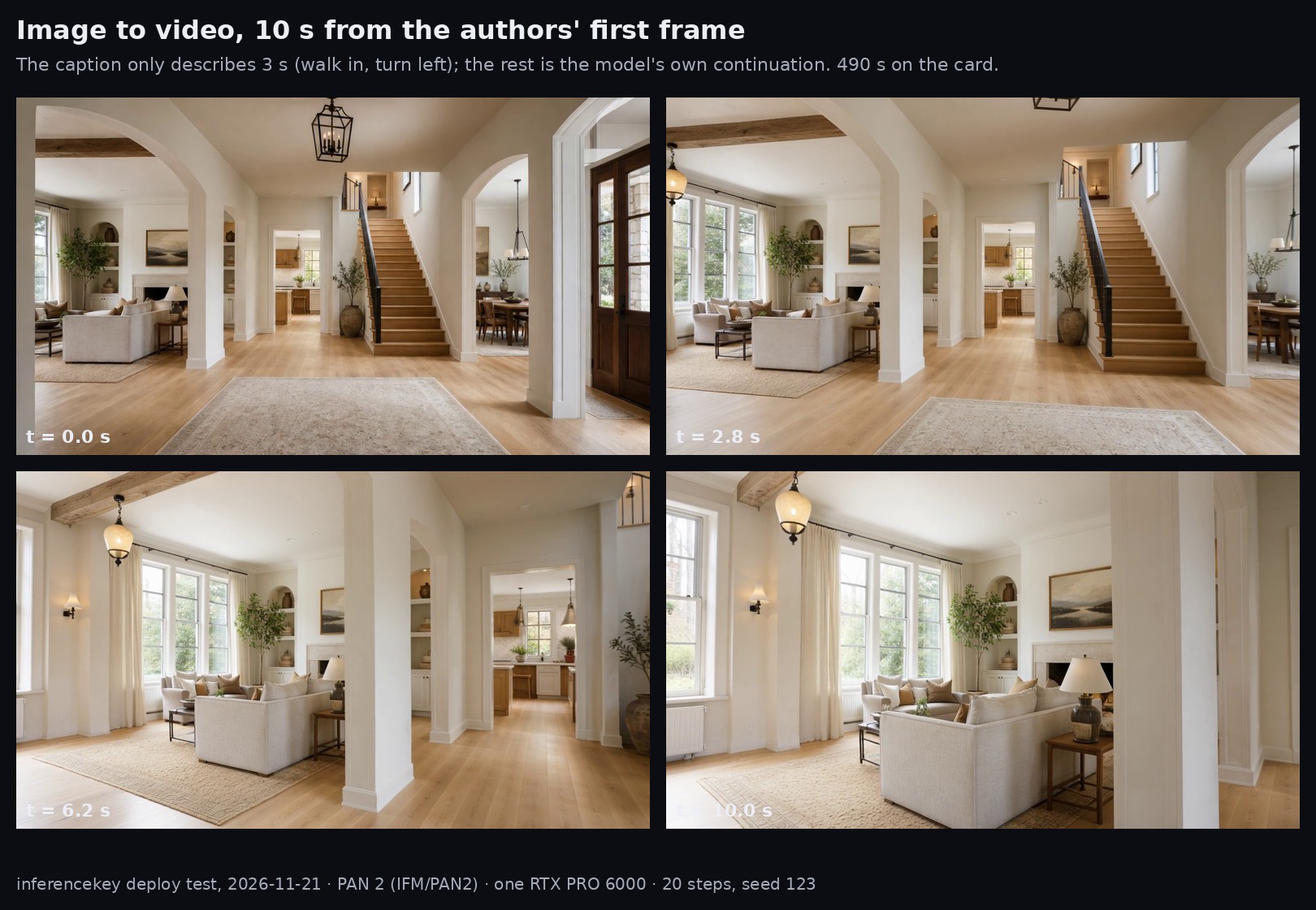
Longer clips cost more per second. Ten seconds took 490 seconds, over 8 minutes: 49 seconds of work per second of video instead of 36.
The 10-second clip had a plan for only its first 3 seconds, our mistake, and the model kept walking into the living room. The timing still counts, because the number of frames, not the plan, sets the work.
There is a second reason it is slow. At every step, the renderer runs twice: once with the plan and once with a fixed list of defects to avoid. The result is pushed away from the defects and toward the plan. That is how the model is told to follow your instructions closely, and it doubles the work. Twenty steps are 40 passes through 29 billion parameters.
At the authors' default of 50 steps, our numbers point to about 20 minutes for one 10-second clip on this card. We did not run it.
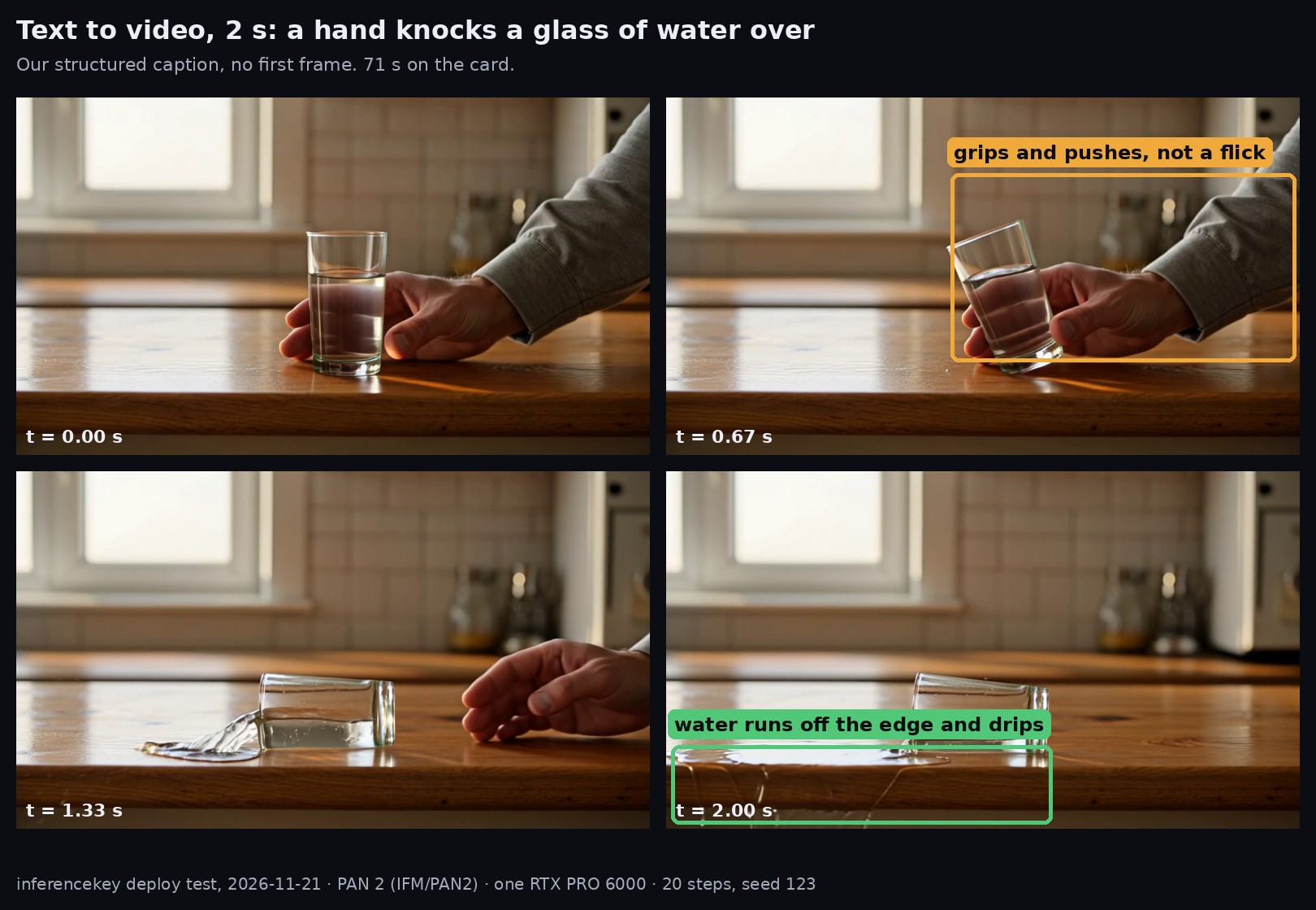
The pictures were good, with one plain miss. In the house clip the camera walks in and turns left into the living room, as the plan said, and the walls and stairs stay put. In the glass clip the glass tips, the water spreads, runs to the edge of the counter and drips off it. But we asked for a flick, and the hand grips the glass and pushes it. It matches the authors' own warning about steps that are not carried out.
Which GPU: an 80 GB budget worked with the plan reader on the CPU, 40 seconds slower
The smallest budget we tried, 80 GB, worked only with the reader (Qwen3.5-9B) running on the CPU. The frames were practically the same: on average a pixel's brightness changed by 1.4 to 3.5 out of 255, and a window and a tree sit a few pixels off.
That budget was emulated on the same 96 GB card: we capped the software at 78 GiB, about what an 80 GB card gives you. With the reader on the CPU, it just fit. We did not run a real 80 GB card.
We tried two ways to make room:
| Memory budget | How | Result |
|---|---|---|
| 96 GB, real card | everything on the GPU | works (the run above) |
| 80 GB, emulated | reader moved to the GPU only while it reads | out of memory after 4.9 s |
| 80 GB, emulated | reader stays on the CPU | works, 149 s instead of 109, just fits |
| 48 GB or less | not tried | the renderer alone is about 63 GiB |
The first way failed because the renderer (62.7 GiB) was already on the card when the reader (14.8 GiB) arrived, and together they filled the 78 GiB cap. The second worked because the reader never touches the card. Reading the plan on the CPU took 40 seconds instead of half a second. Rendering time did not change (101.9 seconds both times).
On InferenceKey: your own PAN 2 API, ready 47 seconds after the first call
On InferenceKey PAN 2 runs as your own API on one card you rent by the hour. The model was ready 47 seconds after our first call to it. Downloading the weights took 18.3 seconds on that host's network and loading them onto the card 13.1.
We wrote a custom backend. On InferenceKey that is a small Python file you upload, which the platform runs on your own GPU machine and exposes as an API. Ours takes a plan, an optional first frame, a length and a step count, and returns the MP4.
The fair objection: vLLM-Omni already serves PAN 2 as an API (vllm serve IFM/PAN2). Its documented setups are several GPUs, or one 96 GB card with layerwise offload that needs large pinned RAM. We did not test it. Our backend adds three things. A long clip answers after about 4.5 minutes with a clip number, and the caller asks again until the video is done. On a card under 90 GiB the reader goes to the CPU, the setting that worked under our emulated 80 GB cap. And it runs on one card rented by the hour.
There is one rough edge you will hit. One machine renders one clip at a time, and there is no cancel. If you send a wrong plan, you wait for it to finish. A second request in the meantime gets a "busy" error with the number of the clip that is running. Restarting the backend does not stop a clip either: the platform hands it back to finish, good for reliability, annoying when you want out. Status: open on the platform.
Two more notes. The authors ship a safety filter that checks requests and output frames, and it is on by default in Diffusers. Our example turns it off, and we did not test it. Read the model card's out-of-scope uses before anyone outside your team can call the API. And give the machine at least 100 GB of local disk: the weights and the Python packages need about 92.
Should you use it? For planning research yes, for anything live not yet
- Agent and robotics research: worth trying. Budget a planner model next to it.
- Previews from a script: yes.
- Real-time simulation: no.
- Exact physical actions: not yet.
- One 96 GB card: runs everything.
Upload the backend from the PAN 2 SDK example and run python main.py. It renders the 3-second house walk on your own NVIDIA worker and needs a 96 GB card and 100 GB of local disk.
For engineers
Credits
- IFM, MBZUAI: PAN 2, its model card, the code, the prompt-rewriter policy and skill, the structured-caption tools (
prompt_tools.py), the house first frame and thepan2-guardrailsafety checker (Qwen3Guard-Gen-4B on requests plus the Q16 frame classifier on outputs). Code and weights under Apache-2.0, download not gated. Contact on the card: pan@ifm.ai. The repository had 408 likes on Hugging Face on the day of our test. - Eric Xing, Mingkai Deng, Jinyu Hou: "Critique of World Model" (arXiv 2507.05169, v5 of 17 June 2026), the Generative Latent Prediction (GLP) architecture PAN 2 follows.
- The Qwen team: Qwen3.5-9B, the frozen text encoder (and Qwen3Guard-Gen-4B in the guardrail).
- Wan-AI: the Wan 2.2 VAE (
Wan-AI/Wan2.2-TI2V-5B-Diffusers), used unchanged. - Hugging Face Diffusers: the PAN2
ModularPipelinewe ran (docs). - vLLM / vLLM-Omni: the serving recipe, an alternative to our backend: it needs vLLM-Omni (vLLM 0.33.0 or later), documents multi-GPU serving and one 96 GB card with layerwise offload (large pinned system RAM). Not tested by us.
- AI Search: the news video of 15 November 2026 where we spotted it (PAN 2 chapter at 42:21).
- Our part: the custom backend, the structured captions, the measurements, the memory ladder and the SDK example.
Architecture (from the authors)
| Part | Detail |
|---|---|
| Conceptual reasoner | a separate LLM, not in the weights (the authors' term for the planner). Diffusers: the 29B simulator is integrated, "the reasoning backbone that writes its prompts is not". Authors' reasoners in order of full-plan completion: Claude Opus 5.5, GPT-6 Astra (medium effort), Kimi K3, Qwen 3.8 Flash; prompt-rewriter policy system_prompt.md |
| Renderer | 29.2B MMDiT trained from scratch, 44 dual-stream joint-attention blocks, hidden 4096, 32 heads x 128, RMS qk-norm, 3-D RoPE, patch [1,2,2] |
| Text encoder | frozen Qwen3.5-9B, hidden_states[-3] (last 2 layers dropped), up to 1,536 caption tokens (soft limit 1,480) |
| VAE | Wan 2.2, 48 channels, 16x spatial and 4x temporal downsampling |
| Output | 704 x 1248 at 24 fps, 44 x 78 latent grid (858 tokens per latent frame), up to 481 frames (20 s) |
| Conditioning | t2v and i2v by channel concat, 48 + 48 + 1 = 97 input channels |
| Training | 480p pretrain, 720p continued pretrain, 720p SFT |
| Defaults | 50 steps, flow shift 9, CFG 2.5 on every step, seed 123, bf16 |
Default length differs by source: the model card uses 241 frames (about 10 s), Diffusers defaults num_frames to 313, and the vLLM recipe uses 313 frames (13 s). Frame counts are 4n+1. The vLLM recipe warns that a plain-text prompt produces unusable video: the prompt must be the rewriter's compact JSON.
The model card reports Physics-IQ Verified, PhyGround, RBench and a human evaluation (140 prompts, 13 reviewers, 1,400 comparisons, Elo centred at 1500). The numbers appear only in images, so we do not quote them.
Setup and why
- Model:
IFM/PAN2at sha82f54c6cea3e20a9c451b61d7360016e5970503d(lastModified 2026-11-12). Transformer 14 shards, 67.37 GB (62.7 GiB on the GPU). Text encoder 15.87 GB (14.8 GiB). VAE 2.82 GB. Total 86.1 GB in one repo, smaller than the 110 GB we expected, because the text encoder and VAE ship with it. - GPU: one RTX PRO 6000 Blackwell Server Edition, 97,887 MiB, driver 595.112.07 (CUDA 13.2), on our cloud (InferenceKey Cloud), by the hour. We picked it because all three parts fit on the card without offload.
- Software: diffusers 0.43.0 (PAN2 arrived in 0.43.0, not 0.42), torch 2.14.1, transformers 5.23.0, native SDPA attention. The authors' own environment (Python 3.14, torch 2.12.1 cu132,
flash-attn-44.0.0b29,quack-kernels0.6.4,bash inference/inference.sh) was not used: Diffusers gave us a single process we could wrap as an API, and SDPA ran fine on sm_120. - Backend: custom Python backend
pan2-world-model, final 0.1.2 (0.1.0 main run, 0.1.1 addedtext_encoder: "cpu", 0.1.2 version bump to restart). Tested on a local InferenceKey manager, never against production. - Captions: written by Claude Opus 5.5 with the authors'
system_prompt.mdpolicy, structure validated withprompt_tools.py. The backend counted 482 and 492 tokens, under the 1,480 soft limit.
Step by step with the SDK example
The example is examples/pan2-world-model-custom-backend-private-nvidia (commit 00d74c71 on main). It needs a local build of the SDK, requests, and a .env with INFERENCEKEY_SDK_TOKEN, INFERENCEKEY_API_KEY, INFERENCEKEY_PROJECT and IK_WORKER_ID (an NVIDIA worker with local disk of 100 GB or more, not a network volume). publish.py uploads only when INFERENCEKEY_TENANT_ID and INFERENCEKEY_USER_TOKEN (a dashboard session token) are also set. Without them it packages dist/*.tar.gz and asks you to upload that file from Dashboard -> Custom backends.
cp .env.example .env      # tokens, project, worker id
python publish.py         # once: uploads backend.py (needs tenant id + dashboard token), else upload dist/*.tar.gz in the dashboard
python main.py                        # house preset: 3 s from the authors' first frame
python main.py --preset glass         # text to video, 2 s
python main.py --caption my.json --image first.jpg --duration 4
main.py calls ensure() with ready_timeout_secs 3600 and request_timeout_secs 330, then wait_until_ready(timeout=3600), sends one clip, polls, fetches the MP4 parts and checks the SHA-256. Outputs land in ./outputs.
The core of the backend is the usage from the Diffusers PAN2 docs:
pipe = ModularPipeline.from_pretrained("IFM/PAN2")
pipe.load_components(dtype=torch.bfloat16)
pipe.to("cuda")
pipe.update_components(guider=pipe.guider.new(guidance_scale=2.5))
The request:
POST {base}/endpoint/{project}/pan2/v1/images/generations
{"model": "default", "prompt": {...structured caption...}, "example": "house",
 "duration_sec": 3, "steps": 20, "seed": 123}
Fields: prompt (structured caption, object or JSON string) or preset (house, glass); image or example for image to video; duration_sec or num_frames (4n+1); steps (default 20, 1 to 100); guidance_scale (2.5); seed (123); height/width; text_encoder (gpu, offload, cpu); vram_limit_gib (uses torch.cuda.set_per_process_memory_fraction); vae_tiling; wait_s. The call waits up to 270 s, then returns {"status": "running", "clip_id": ...} to poll. The finished MP4 comes back in 2 MB parts with mp4_sha256, because one result message is limited to 8 MB.
Settings in the workload's config.env: PAN2_TEXT_ENCODER (auto: GPU from 90 GiB of card memory, else CPU), PAN2_VAE_TILING, PAN2_WEIGHTS_DIR, PAN2_GUARDRAIL, PAN2_WARMUP.
Full measurements
One request at a time through the local endpoint, 1248 x 704, seed 123, CFG 2.5.
| Clip | Frames | Steps | Model s | Text enc. s | Denoise s (per step) | Decode s | Round trip s | PyTorch reserved MiB | Card peak MiB |
|---|---|---|---|---|---|---|---|---|---|
| house i2v 3 s | 73 | 20 | 109.25 | 0.54 | 101.91 (5.10) | 6.10 | 113 | 93,758 | 94,461 |
| glass t2v 2 s | 49 | 20 | 71.01 | 0.18 | 66.51 (3.33) | 4.10 | 72 | 93,182 | 94,461 |
| glass 1 s, dashboard tester | 25 | 8 | 15.72 | 0.27 | 13.26 (1.66) | 2.08 | 19.7 | 93,042 | 93,745 |
| house i2v 10 s (3 s caption) | 241 | 20 | 490.0 | 0.45 | 468.42 (23.42) | 20.15 | 517 | 95,238 | 95,941 |
| house 3 s, 78 GiB cap, text encoder on CPU | 73 | 20 | 149.12 | 40.36 | 101.89 (5.09) | 6.15 | 155 | 78,406 | 81,419 |
- Cold start: the new machine's worker came online 37 s after the machine was created; the model was then ready 47 s after the first
ensure()call (venv about 15 s; the download speed depends on the host's network; download 86.1 GB in 18.3 s, 4.7 GB/s; load 13.1 s; backend setup 31.4 s). Weights on the GPU 78.84 GiB. - CFG runs as two unbatched passes per step: 40 transformer calls per 20 steps in every clip.
- Seconds of work per second of video, derived by us: about 36.4 (3 s), 35.5 (2 s), 49.0 (10 s).
- Authors' default (50 steps, 10 s): not run. About 20 minutes per clip on this card by extrapolation from 23.4 s per step.
- Card peak sampled with
nvidia-smiat 2 Hz.
VRAM ladder
| Target | Configuration | Output | Peak | Time per 3 s clip | Real or emulated |
|---|---|---|---|---|---|
| RTX PRO 6000 96 GB | all on GPU, 3 s i2v, 20 steps | ok | 94,461 MiB card (92.2 GiB) | 109.3 s | real |
| 80 GB card (78 GiB cap) | text encoder offload, on GPU only while it runs | OOM after 4.9 s | emulated | ||
| 80 GB card (78 GiB cap) | text encoder on CPU (backend 0.1.1) | ok | 81,419 MiB card (79.5 GiB), 78,406 reserved | 149.1 s (1.37x) | emulated |
| 48 GB and below | not tried | ||||
| Real 80 GB A100 or H100 | not run in this test |
The OOM: CUDA out of memory. Tried to allocate 96.00 MiB ... this process has 78.68 GiB memory in use. 78.00 GiB allowed; 77.98 GiB is allocated by PyTorch (transformer 62.7 GiB plus text encoder 14.8 GiB at the same time).
CPU text encoder vs reference: mean absolute pixel difference 1.41, 2.74 and 3.49 of 255 at frames 0, 36 and 72 (the key comparison image cites 2.5 at 1.5 s and 3.2 at 3 s). Card peak under the cap, 81,419 MiB, sits 140 MiB under an 80 GB H100's 81,559 MiB; fit on a real card is unconfirmed. Below 80 GB, the authors' --offload blocks (streaming the DiT's blocks to the GPU) is the documented route. Separately, the vLLM recipe documents one 96 GB RTX PRO 6000 with layerwise offload at 84.4 GiB peak for 481 frames, which needs large pinned system RAM. We have not measured either.
Problems
- No cancel, restart redelivers. We sent the 10 s request with a 3 s plan by mistake. A backend restart did not cancel the in-flight 10 s job: the worker redelivered it. The authors' 10 s swimmer caption then got
HTTP 400 ... busy with clip 3cef4d8af03f4848. One clip at a time per worker. Status: open on the platform. - Worker disk. The worker got a 100 GB disk although our local manager was configured for 160 GB; the create path takes the size from the request or the stored row, not the environment setting. Weights 86 GB plus venv 5.6 GB left 8.7 GB free. Status: open on the platform.
- Text-encoder offload OOM at 78 GiB. Fixed in backend 0.1.1 with
text_encoder: "cpu". The.env.examplecomment saying offload saves about 15 GiB is misleading under an 80 GB cap:cpuis the mode that worked. - Diffusers execution device. The PAN2 modular pipeline takes
_execution_devicefrom its first component, the text encoder. With the text encoder on the CPU everything would run on the CPU. Worked around in the backend by forcing the GPU. - Guardrail off.
disable_safety_checker()unlessPAN2_GUARDRAIL=1. Not tested. On the authors' numbers it cut unsafe output for harmful text-to-video requests from 33.9% to 1.5% with Kimi K3, and blocked 11.5% of benign text-to-video and 3.3% of benign image-to-video requests. - Slow kernels missing.
causal_conv1dandflash-linear-attentionwere not installed, so the Qwen3.5 linear-attention layers used the PyTorch fallback: 0.2 to 0.5 s on the GPU, about 40 s on the CPU. - Our 10 s caption covered 3 s. Operator mistake. The clip is real; the model kept walking into the living room after the plan ended.
- One seed per case. Quality notes are anecdotal.
Demo video and samples
A narrated walk-through of 3 minutes 9 seconds: what PAN 2 is (with the authors' model-card video, credited), the deployment on one card, our clips and the memory ladder.
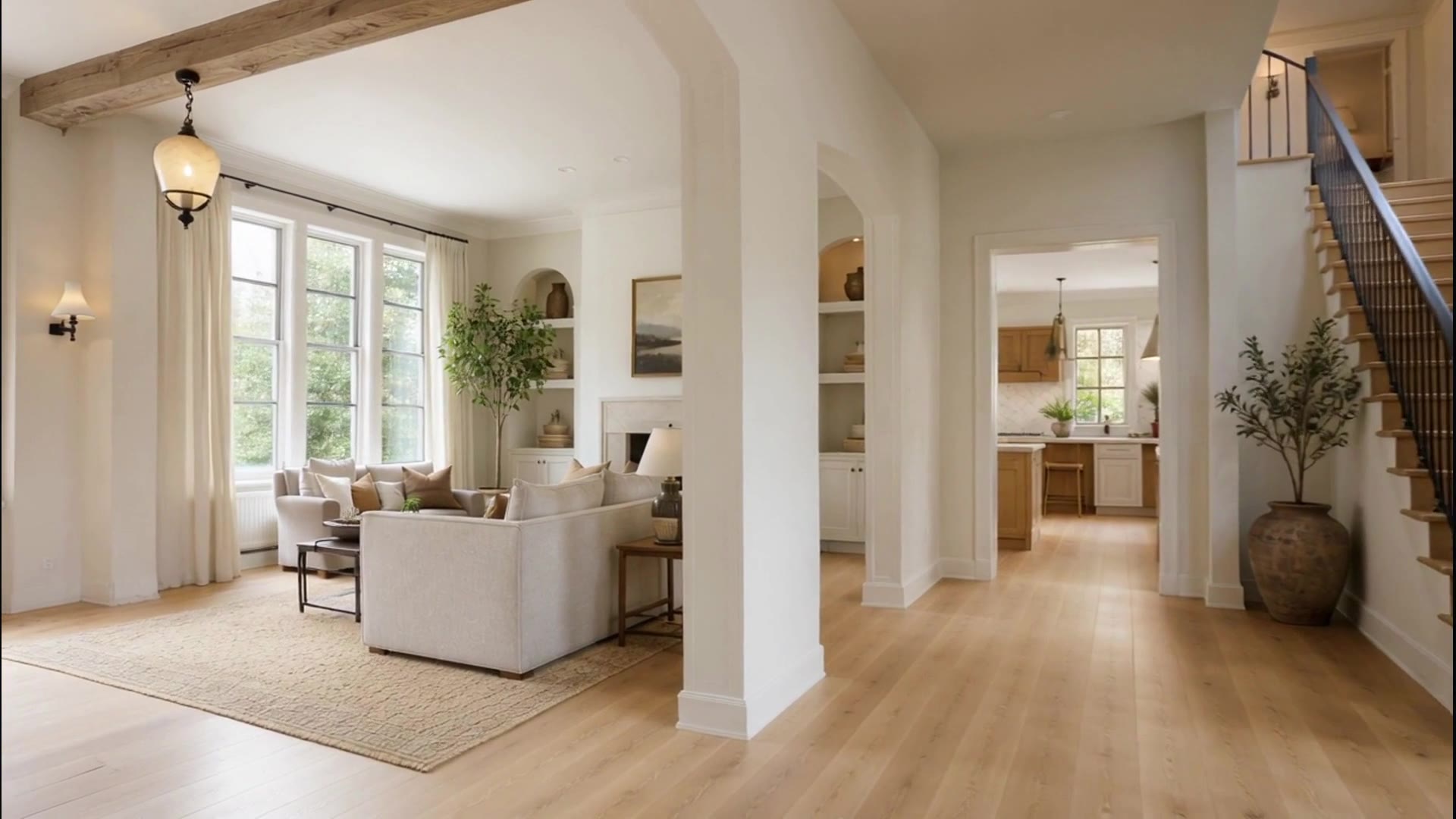
House, image to video, 3 s, 20 steps:
Glass, text to video, 2 s, 20 steps:

House, image to video, 10 s with a 3 s caption, 20 steps:
Sources
- Model card: huggingface.co/IFM/PAN2
- Code: github.com/ifm-ai/PAN2
- Diffusers: PAN2 pipeline docs
- vLLM: recipes.vllm.ai/IFM/PAN2
- Paper: arXiv 2507.05169
- Where we spotted it: AI Search, 15 November 2026
- Our example: inferencekey-sdk, pan2-world-model-custom-backend-private-nvidia